 Group Games
Fifteen minutes left and nothing planned.
139 games, hand chosen by experienced leaders. Plus a planner that turns them into a run sheet you can print and hand to anyone.

Free to download. Every game, free forever.
iPhone, iOS 17 and later.
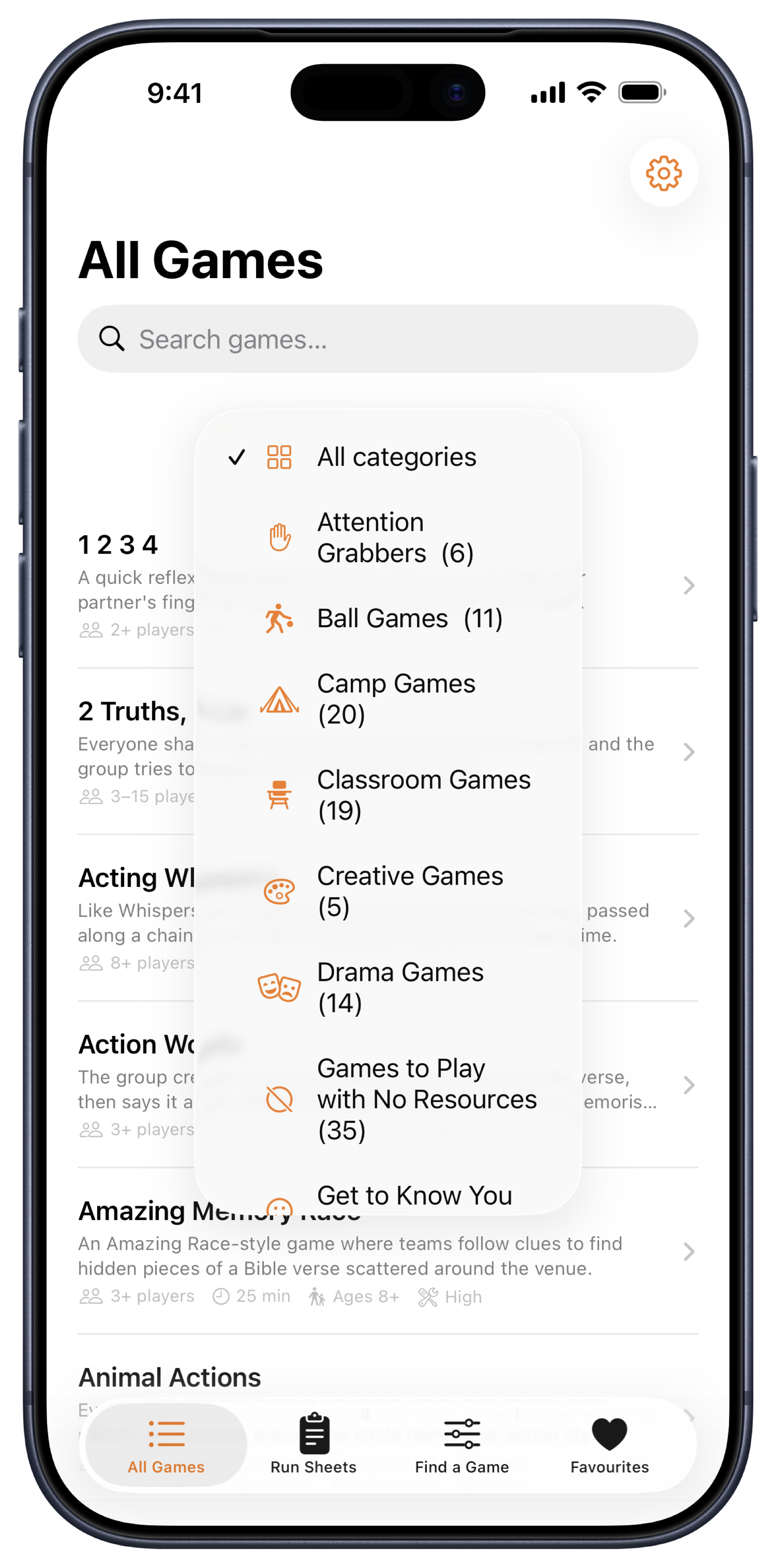
The lesson finishes early, it is raining again, or you have walked into someone else's class with a folder and no idea what is in it. You need something that works for this many students, this age, in the time you have got.
Find a Game
The right game in seconds
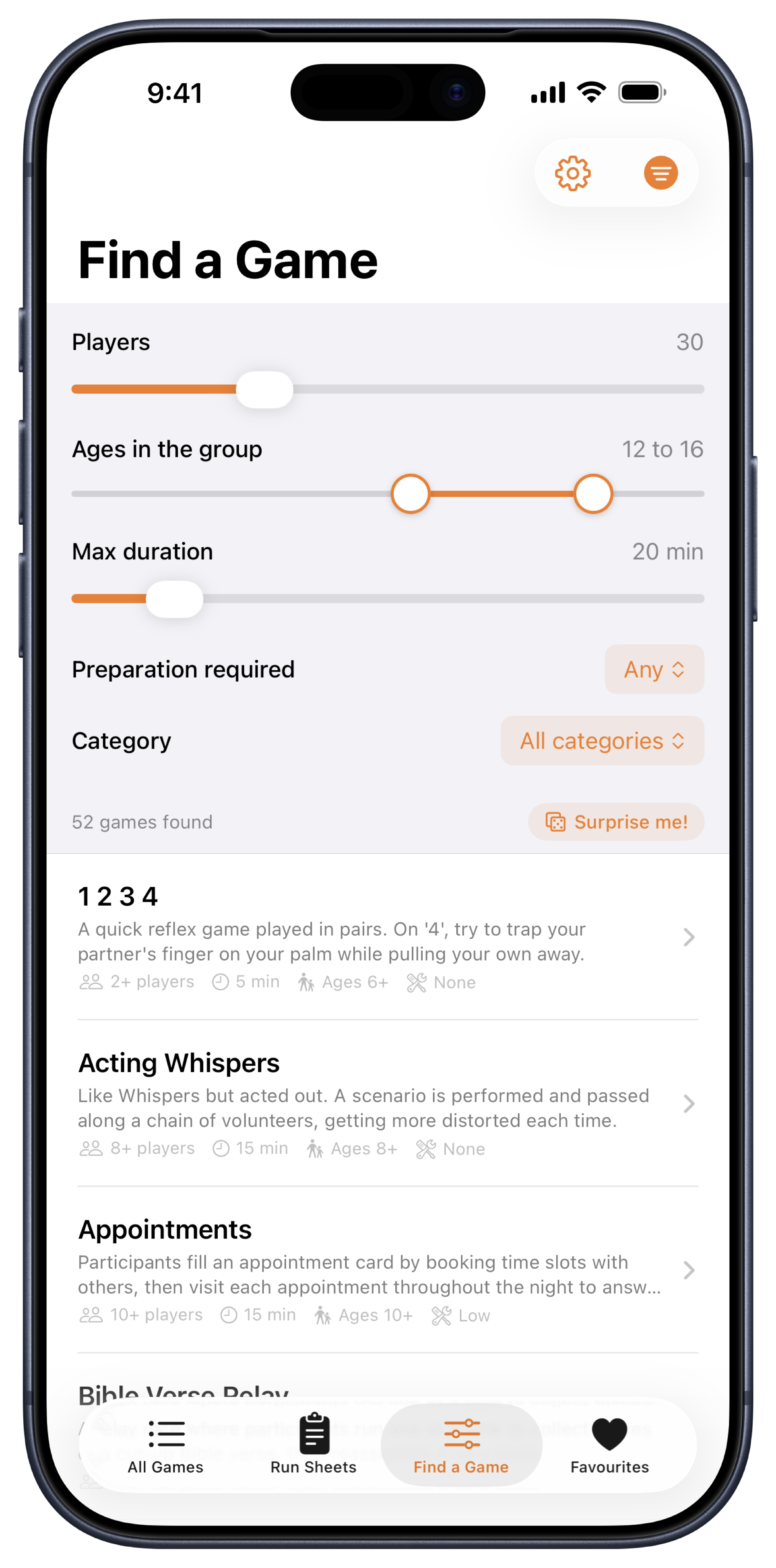
Set the number of students, the youngest and oldest in the class, how long you have got and how much preparation you can manage. The count of matching games updates as you move the sliders. Tap 'Surprise me!' and it picks one for you.
Every game is written up properly: how to play, what to bring, how much prep it takes, how many players it needs, what ages it suits and how long it runs.
The age filter is inclusive. A game only shows if it suits everyone in the room, not just some of them. Set the range to your group and what is left actually works.
Run Sheets
Plan chapel or your lunchtime group
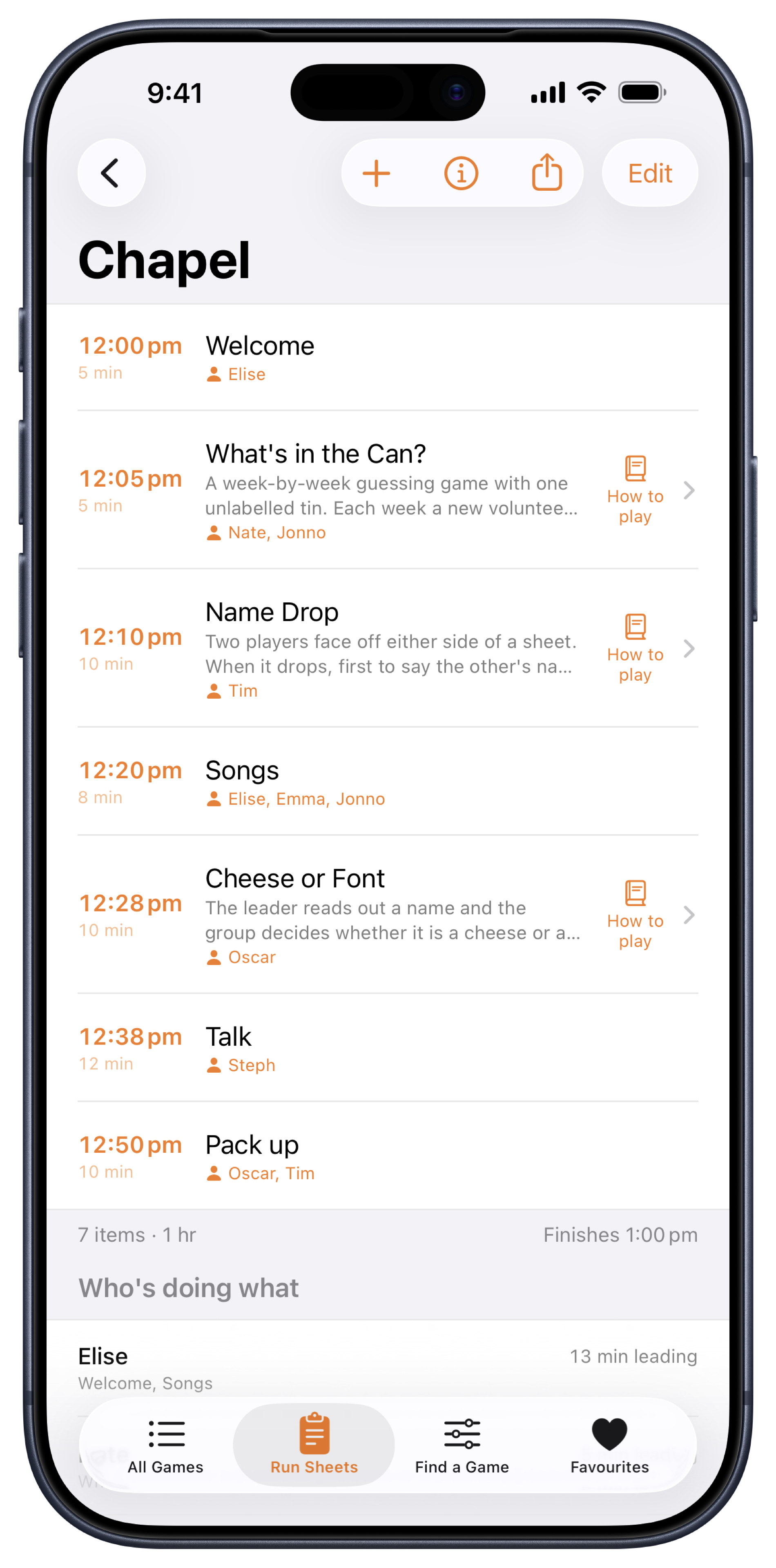
Drop games straight from the library into a run sheet, then add your own items. Welcome, notices, the game, the talk, pack up. Set a start time and every item shows the minute it begins.
The footer keeps a running total and finish time.
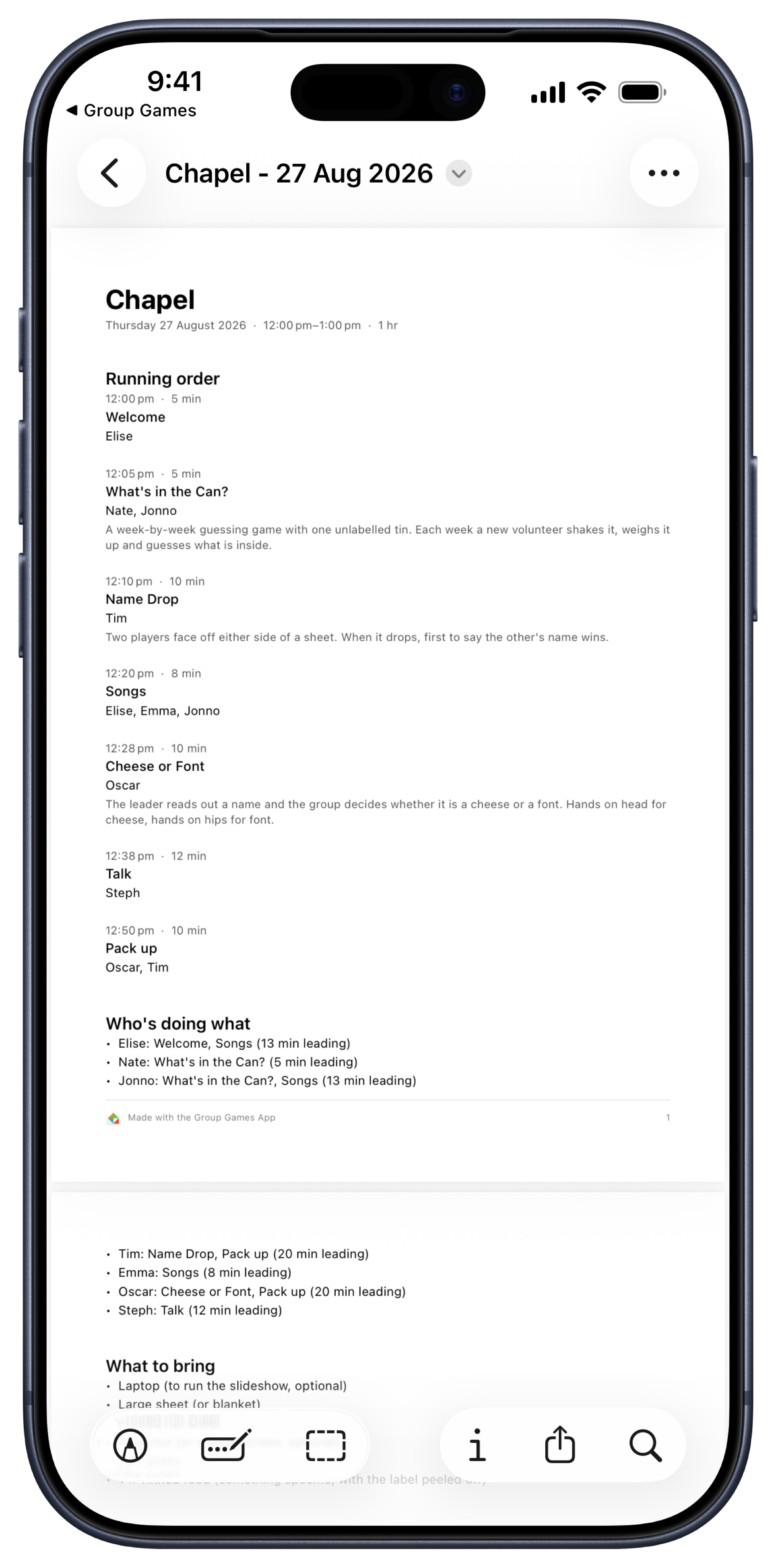
Export the whole plan as a PDF to print or email, so the student leaders helping you know exactly what they are running.
Who's doing what
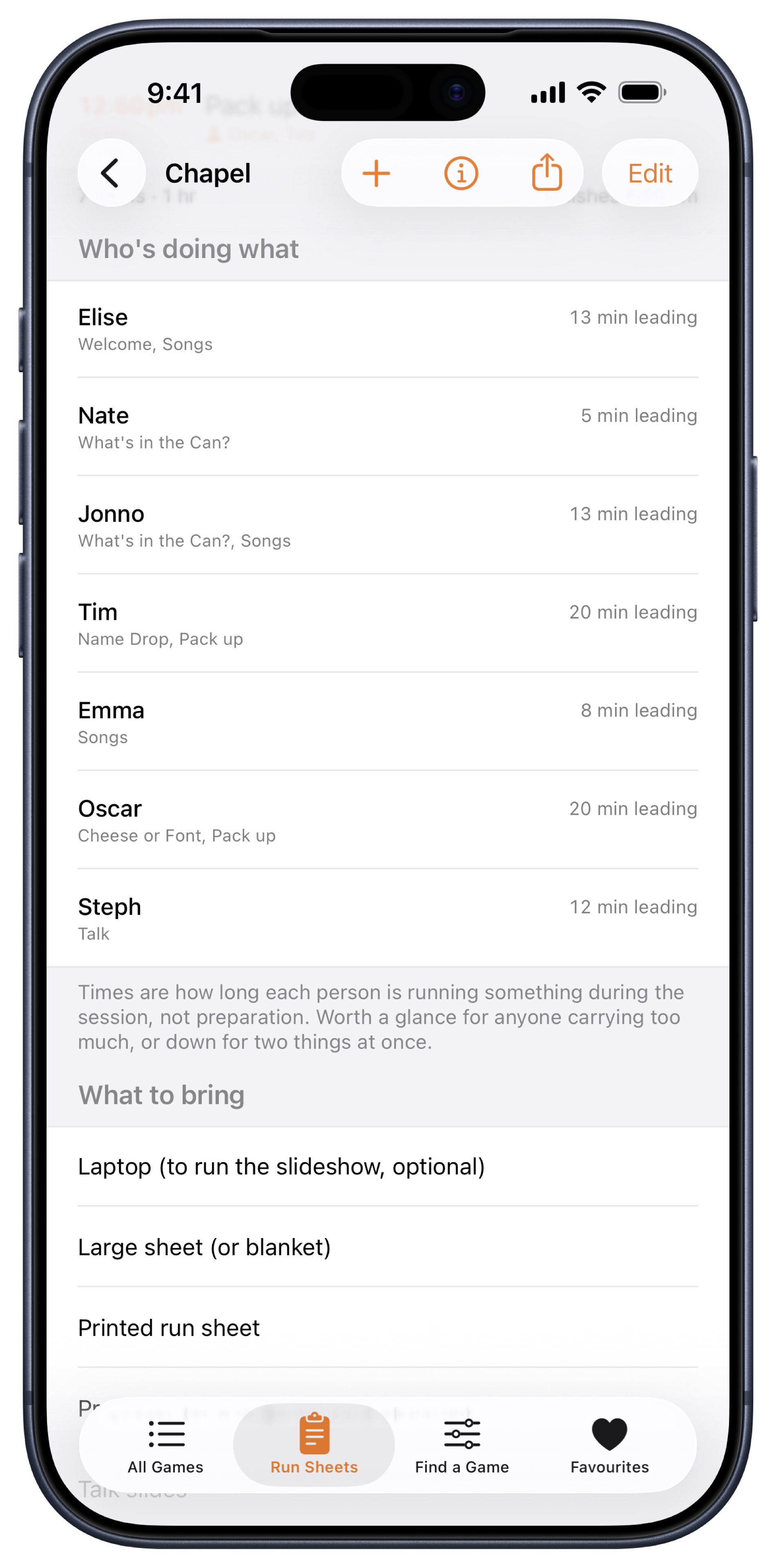
See who is running what
Assign each item to whoever is running it. Group Games adds up how long each person is on their feet, so you can spot a student leader carrying too much before the session starts rather than halfway through it.
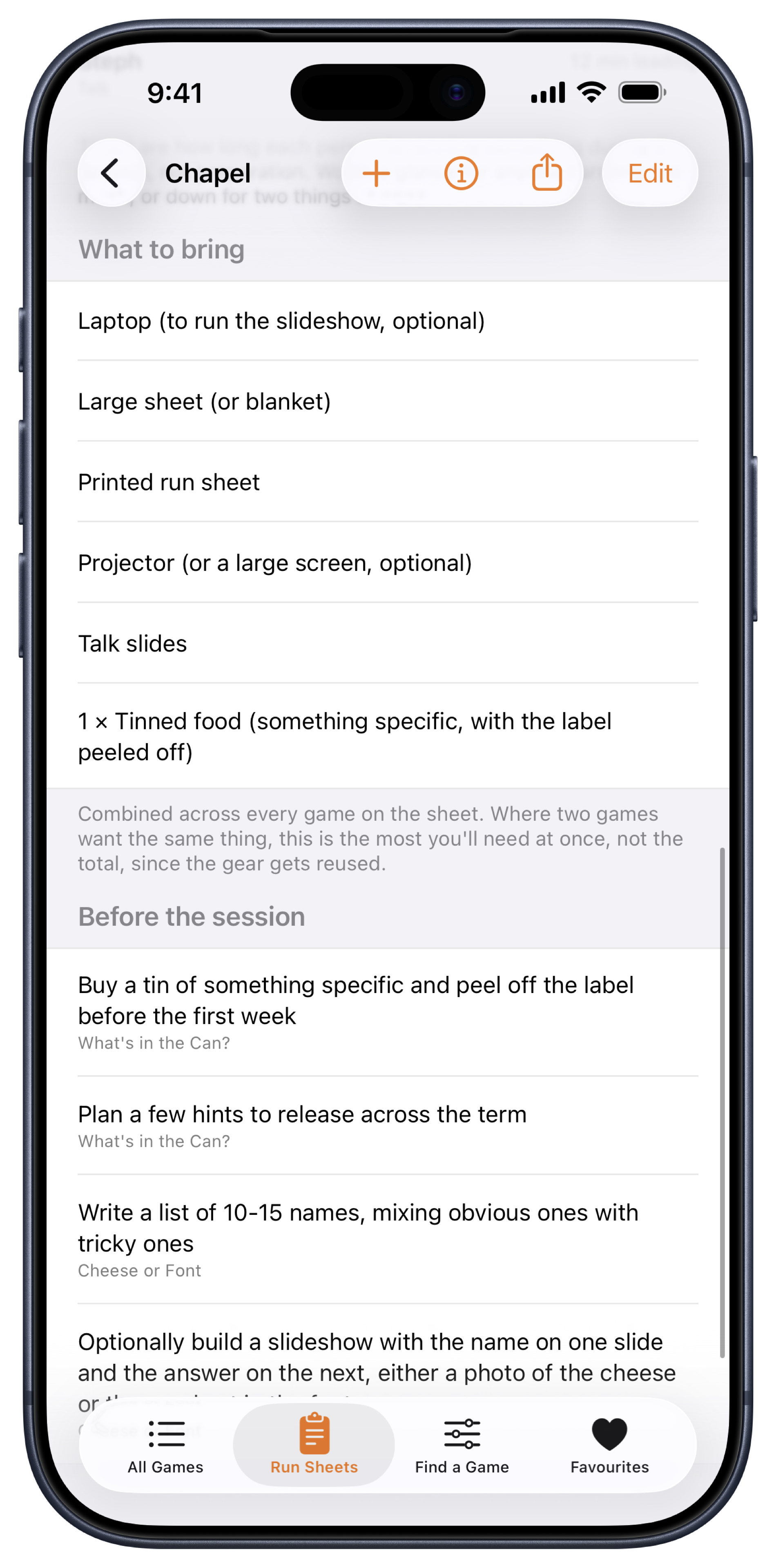
What to bring
One list of what to bring
Every game on your sheet lists its gear. Group Games combines them into a single list and works out the quantities from your group size. Where two games want the same thing, that is the most you will need at once, not the total.
One trip to the store room, from one list.
Sharing
Hand it to your student leaders
Export any run sheet as a PDF. Print a copy for everyone helping you run the session, or email it to the colleague taking your group next week. The running order with times, who is doing what and what to bring are all on the one page.
Or publish the sheet and pass out a six-character code. They open it in Group Games without an account and without paying a cent, and their copy catches up when you change the plan.
From the leaders using it
What they said
Group Games is a really helpful tool for quickly finding fun, engaging games for youth. In the busyness of school life, coming up with suitable games for chapel and lunchtime groups can easily become a burden. Having a resource like this takes away the hassle and makes it easy to find a game that fits the group and the time available.
PollySchool chaplain
I love using the Group Games App for kids church and at school. It's really handy to have one place to go to for a bunch of tried and tested fun games that can suit different formats.
MikeTeacher
Group Games is a fantastic well thought out and clear resource which is useful for me as a teacher, youth group leader and for our lunchtime Christian group!
DanTeacher and youth group leader
Real leaders, quoted with their permission.
All Games
Thirteen categories
- Attention Grabbers
- Ball Games
- Camp Games
- Classroom Games
- Creative Games
- Drama Games
- Games to Play with No Resources
- Get to Know You
- Gym Games
- Memory Verse Games
- Oval Games
- Up Front Games
- Wide Games
Classroom Games and Games to Play with No Resources cover the ordinary Tuesday. Oval Games and Gym Games cover sport, wet weather timetables and the last week of term.
Who chose these games
Every game in Group Games was chosen and written up by Calum Henderson.
Calum has spent over twenty years working with kids of all ages. He taught in schools, led youth group and kids church, and has been part of more than 60 holiday camps as a volunteer and on staff. He holds a Bachelor of Education from the University of Sydney and a Master of Leadership.
The library is a hand chosen selection of 139 games, not 1400. Nothing here was generated and nothing was lifted from another site. You do not need to wade through slop. Each of these games works with real kids.
What it costs
The app is free to download and all 139 games are free forever, with no ads and no account. One run sheet is yours to keep and reuse. Run Sheets Pro adds unlimited sheets, PDF export and sharing.
Free
$0All 139 games, the filter, favourites, and one run sheet to edit and reuse as often as you like.
Run Sheets Pro
$2.99/monthOr $14.99 once, for good. Unlimited run sheets, PDF export and sharing. New subscribers get 7 days free.
Prices in Australian dollars. Anyone you share a sheet with opens it for free, always.
Ready for period five?
Free. iPhone, iOS 17 and later.
Questions
Is this for a particular year level?
No. Set the youngest and oldest ages in your class and only games that suit all of them appear. It works from lower primary to senior secondary.
Can I use it for relief teaching?
It is one of the best uses for it. Filter by the class in front of you, with no preparation, and every game tells you what it needs before you commit to it.
Do I need equipment?
Not necessarily. One whole category is games that need nothing at all, and every game states its gear before you pick it.
Can I share a plan with another teacher?
Yes. Publish it and pass them a six-character code. They open it in Group Games without an account and without paying.
Can I print it?
Yes. Export any run sheet as a PDF, then print a copy for each student leader or email it to a colleague. PDF export is part of Run Sheets Pro.
Does the school need to buy anything?
No. The app and all 139 games are free, along with one run sheet to keep and reuse. Run Sheets Pro is an optional personal purchase.
Do I need an account?
No. The app works without one, and nothing leaves your phone unless you deliberately share a run sheet. No student data is involved at any point.
Three ready-to-run games, free
Cheese or Font, Cyclist or Pokémon, and Swift or Proverbs. Slides done, rules included, plug in the projector and go. Join the Group Games Newsletter and we will send all three over, then keep you posted with new game ideas and updates about the app.
Send me the games